
When?
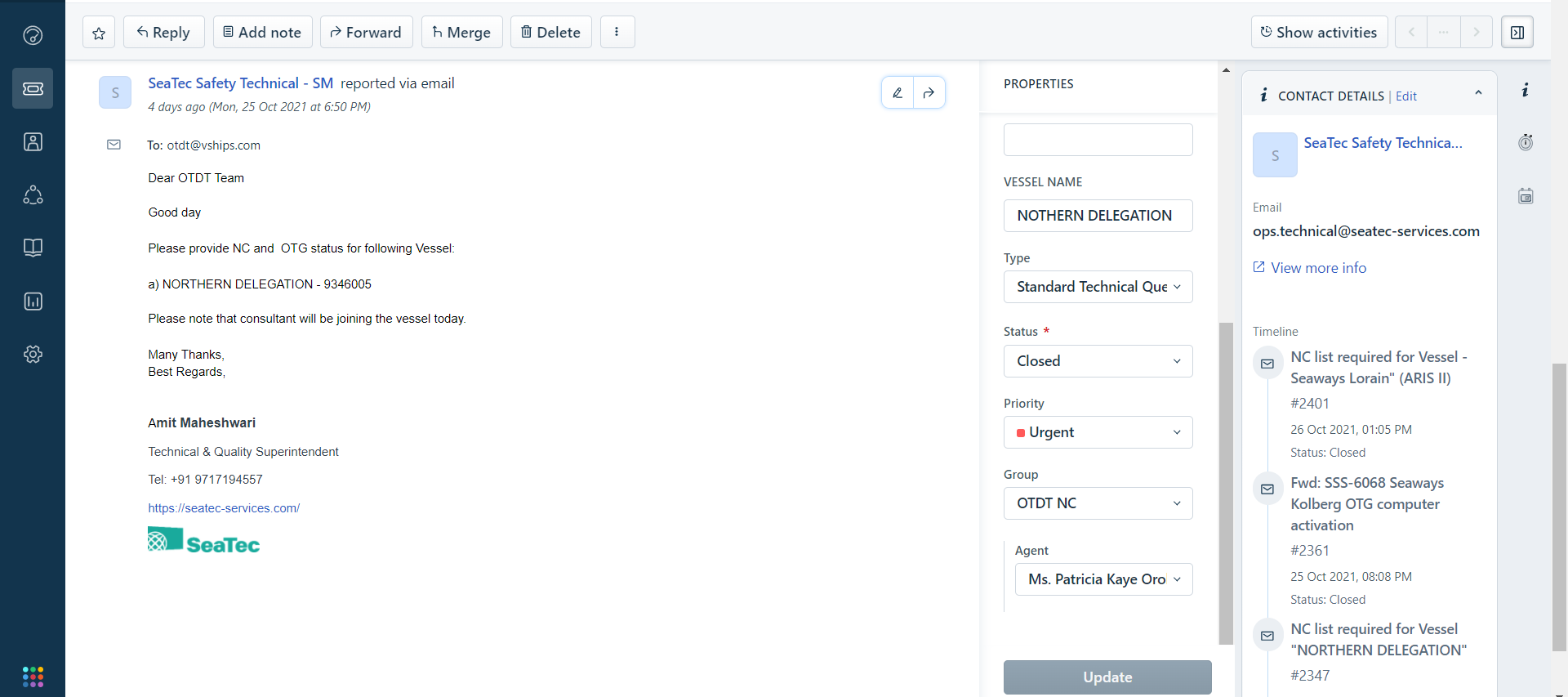
SeaTec Safety Technical send request for NC list and OTG status to following up Vessel.
Main Category : SeaTec Request
Sub Category : NC list for Vessel
Details issue : -
Type : Standard Technical Question
Group : OTDT NC
Instruction
1. SeaTec Safety send ticket request on NC list regarding to Vessel name.
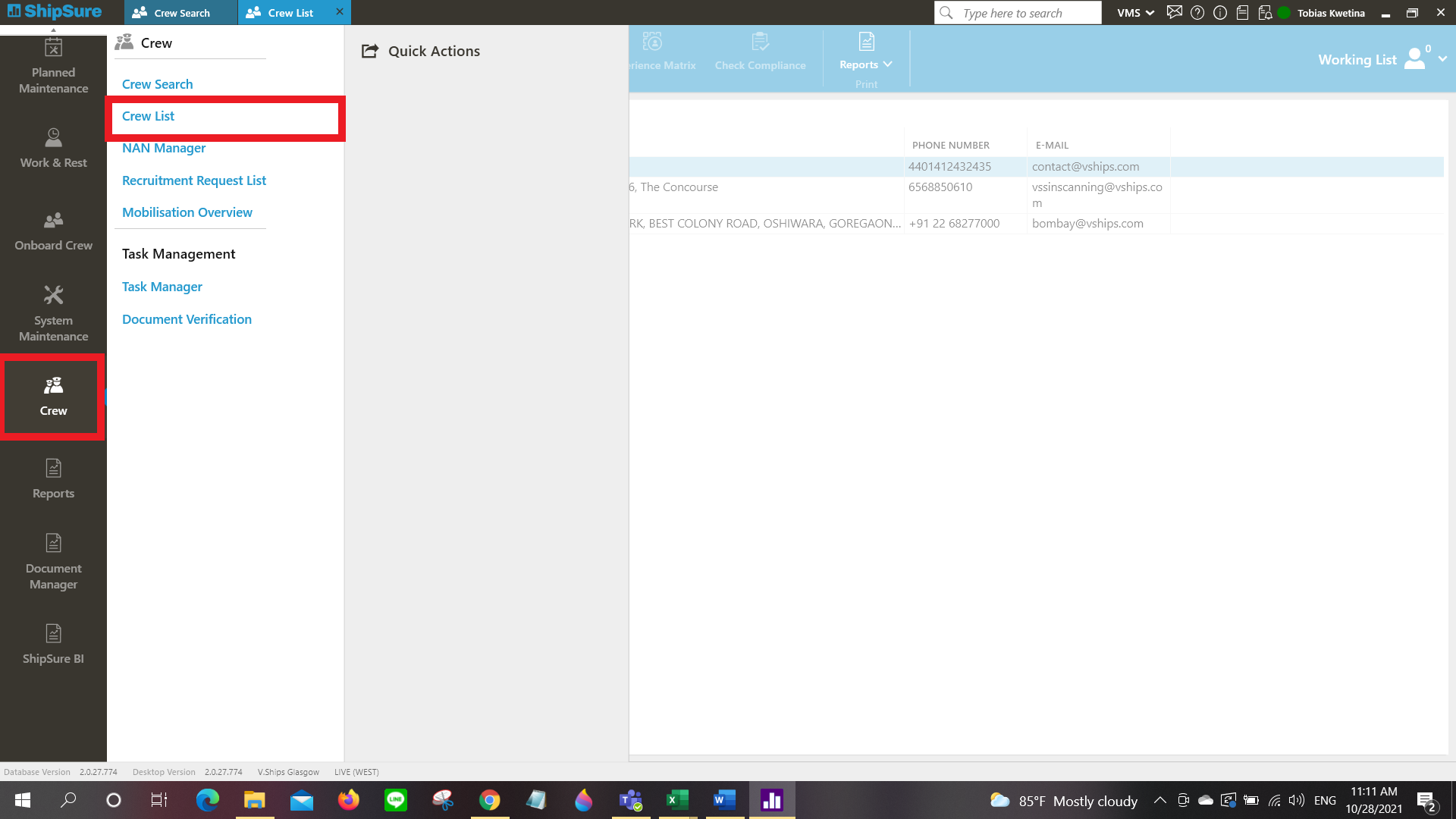
2. Check on Crewing list specific with vessel in ShipSure system.
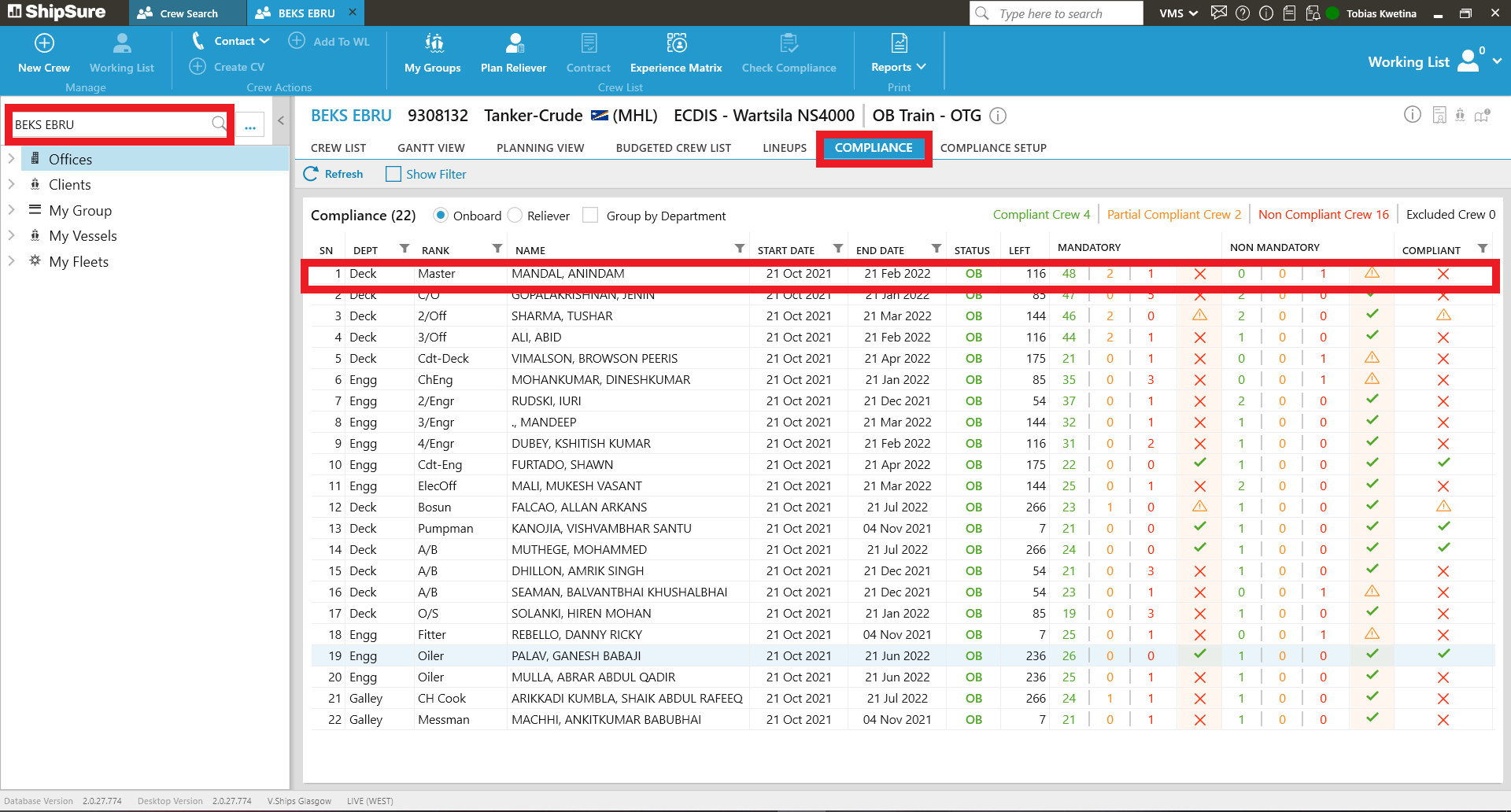
3 Search for Ship and look for Compliance tab and select one of Crew member.
4. Select Crew details.
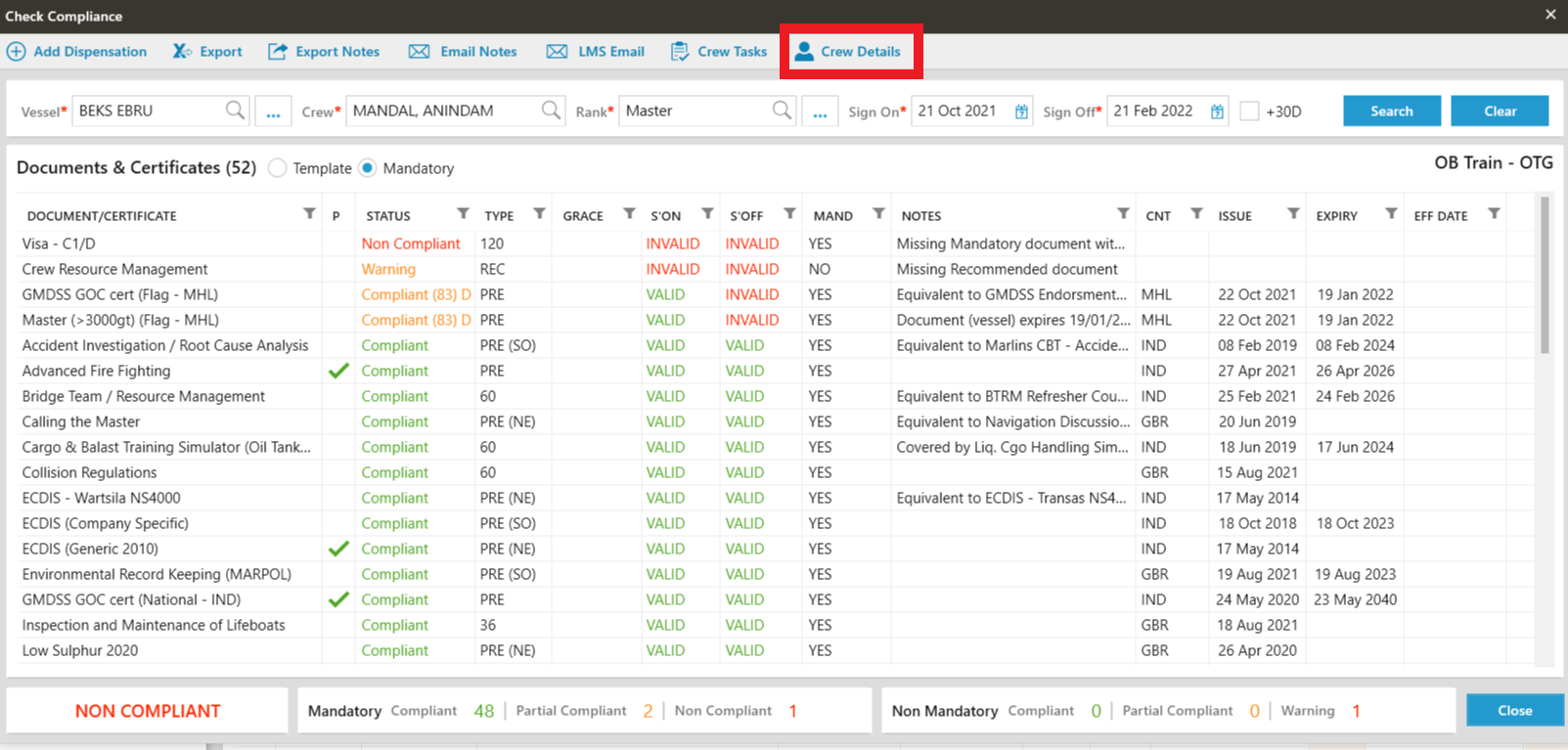
5. Noted on Mobilisation cell.
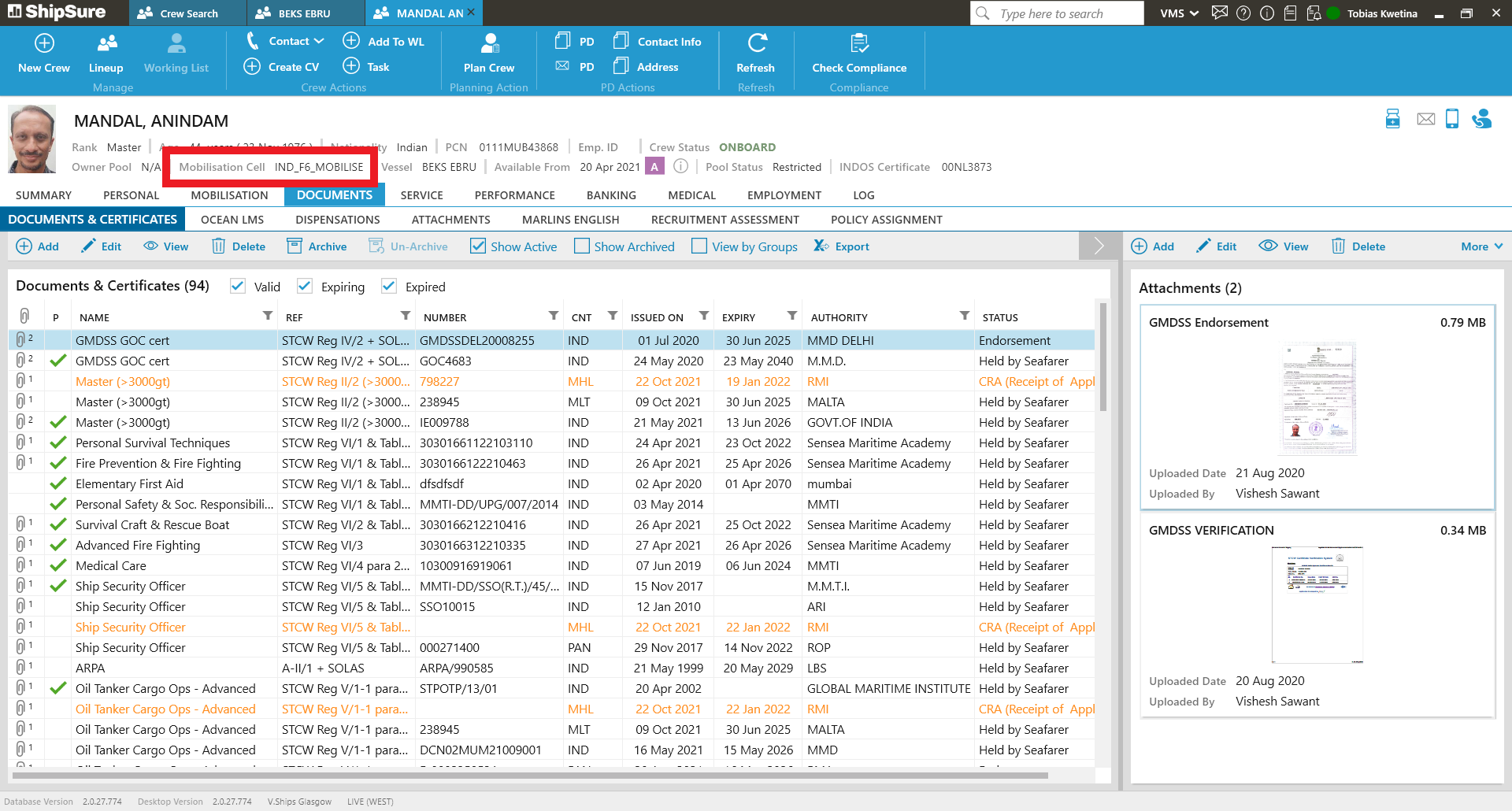
6. Going to Crew > Mobilisation overview.
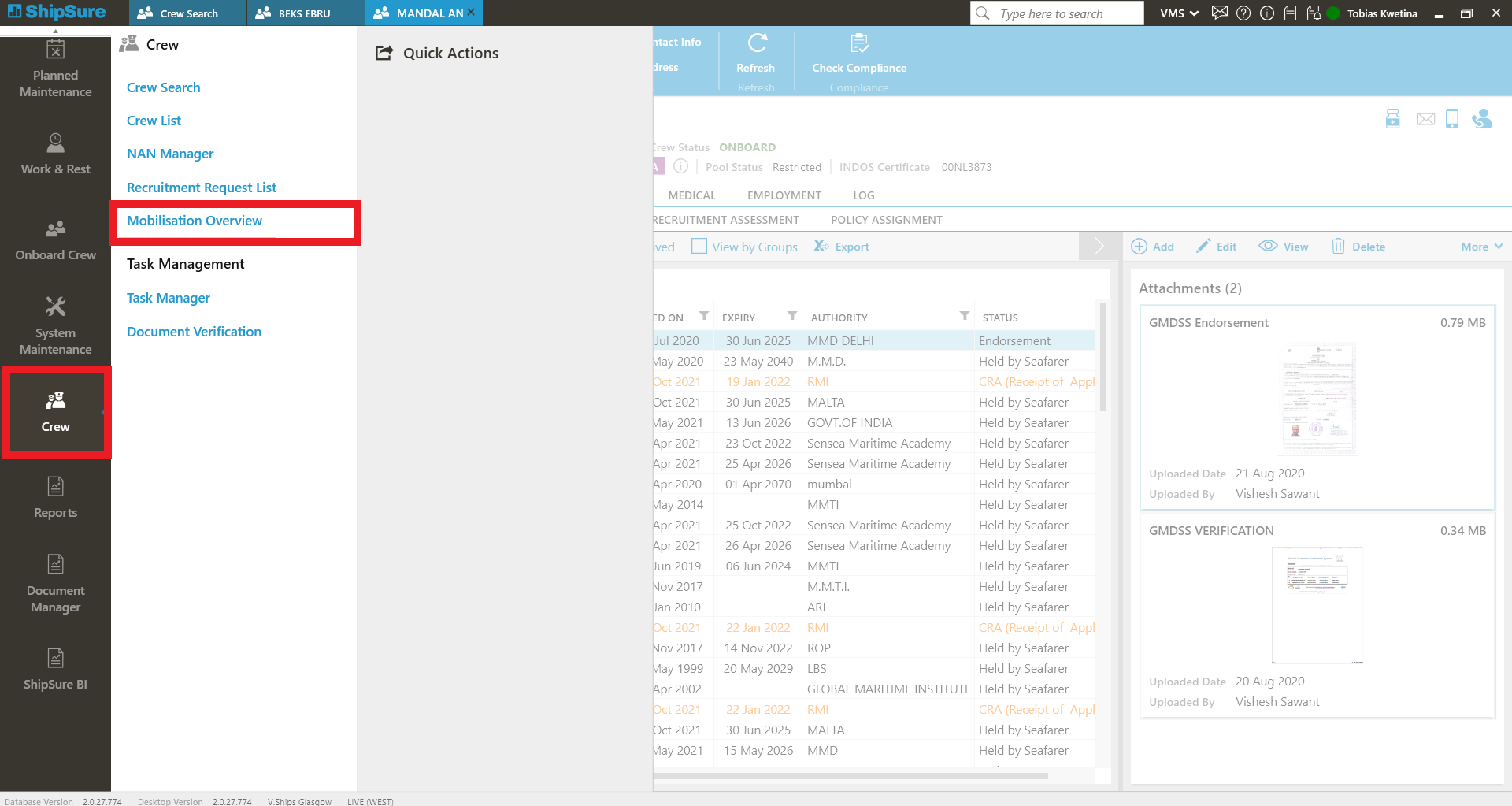
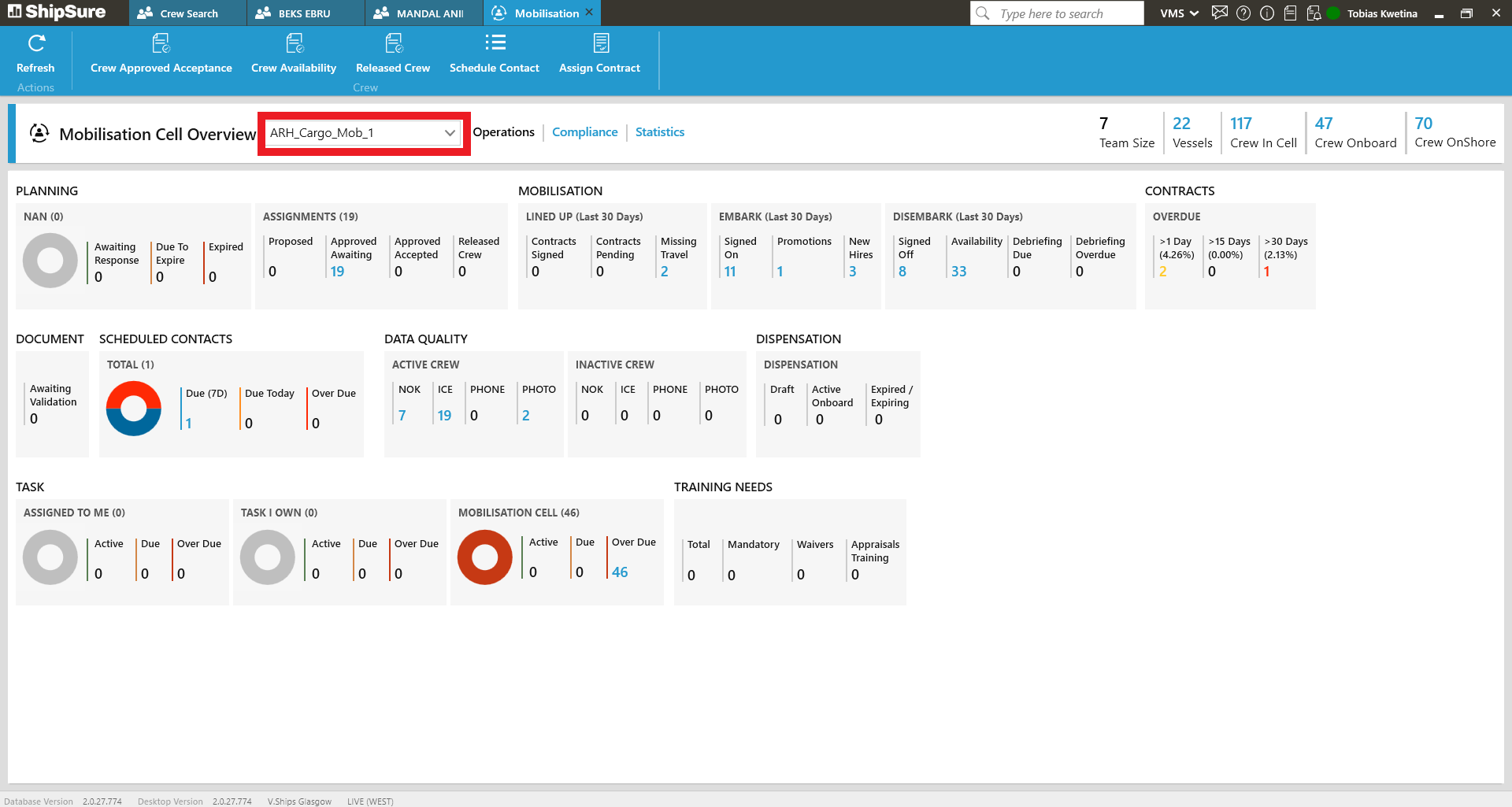
7. Select Mobilisation cell that we noted before. For this example was "IND_F6_MOBILISE".
8. Click on Compliance to show every single vessel handle by this Mobilisation cell.
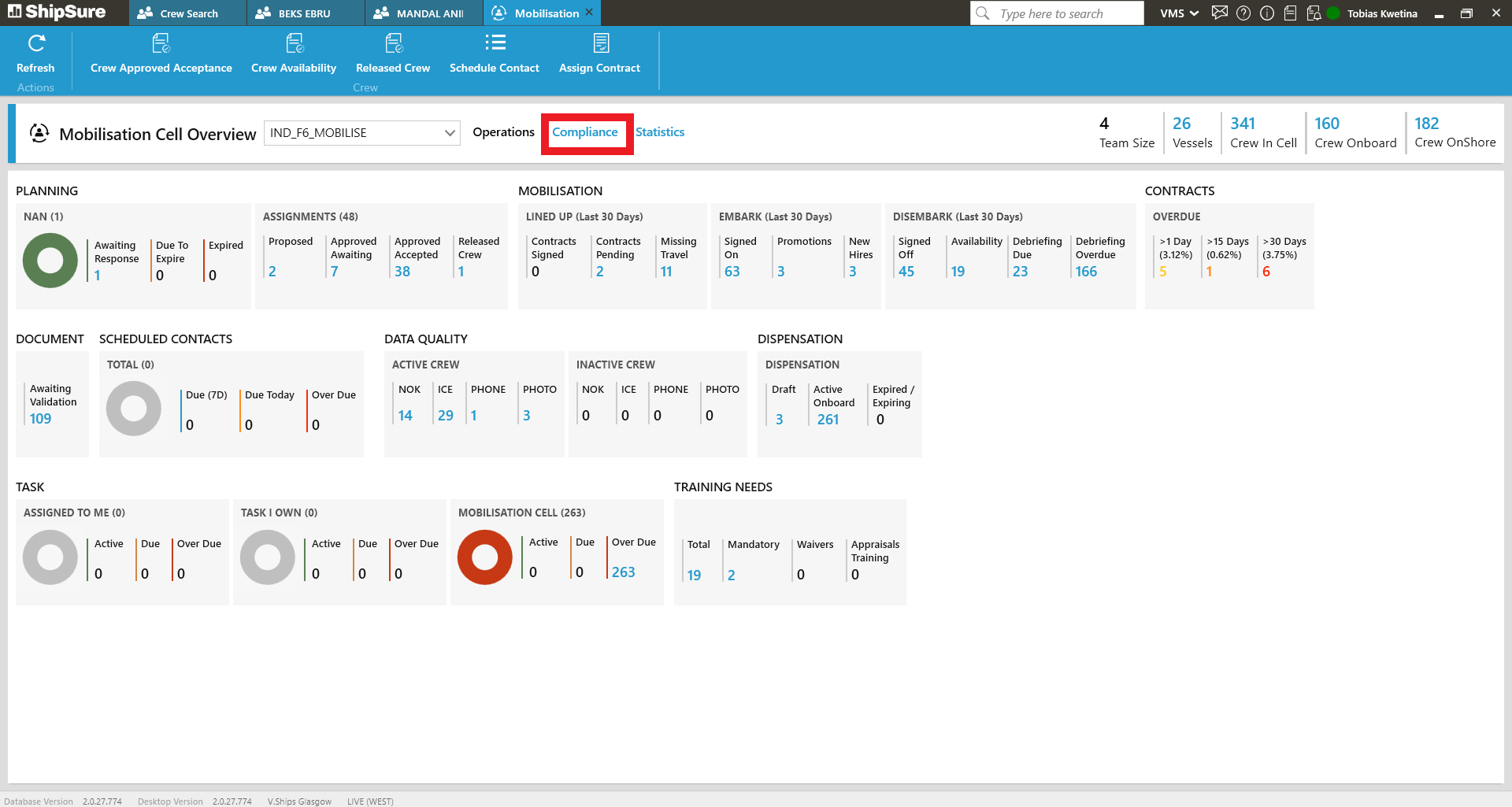
9. Filter Vessel to be specific name that we need to see.
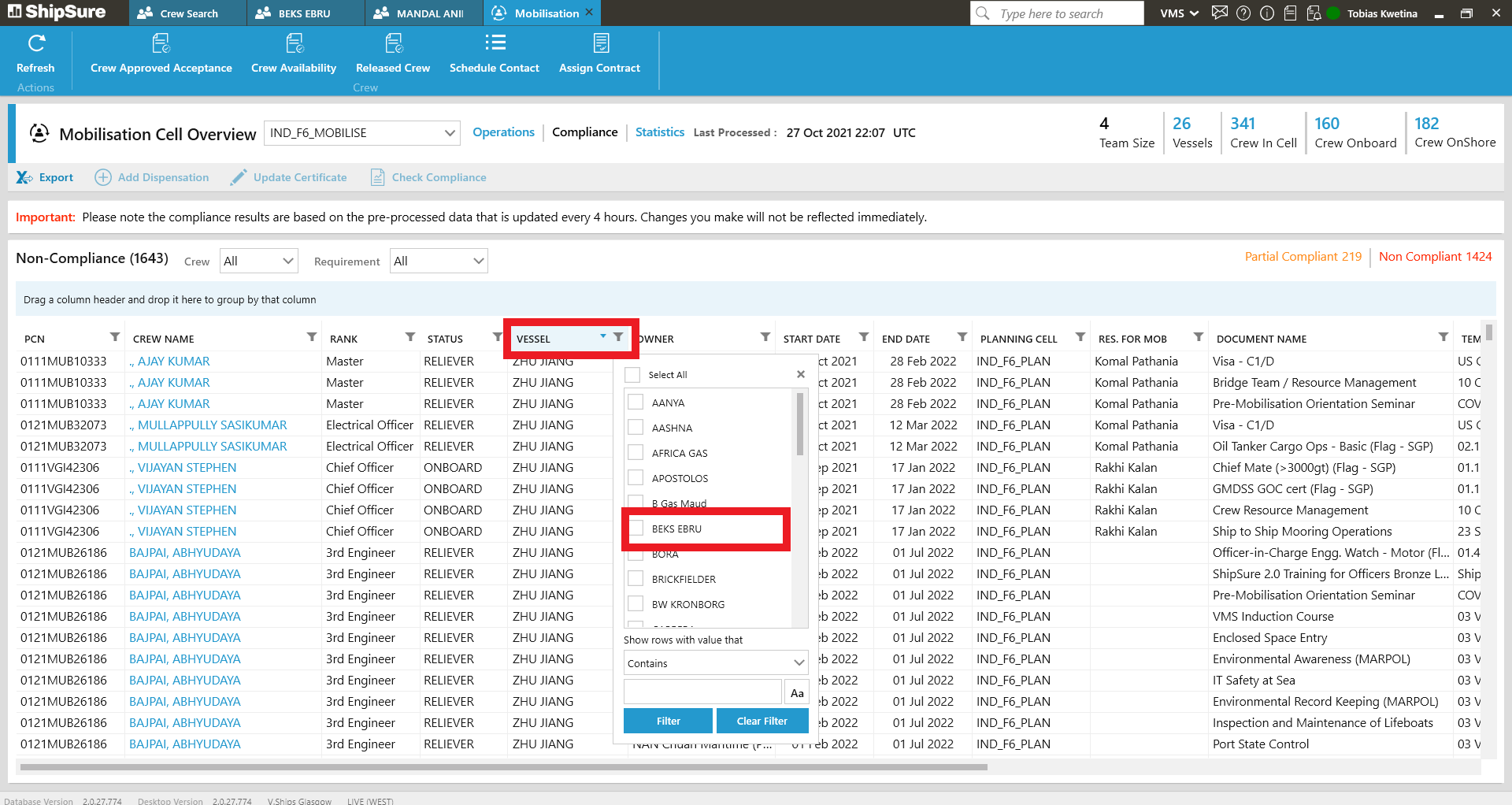
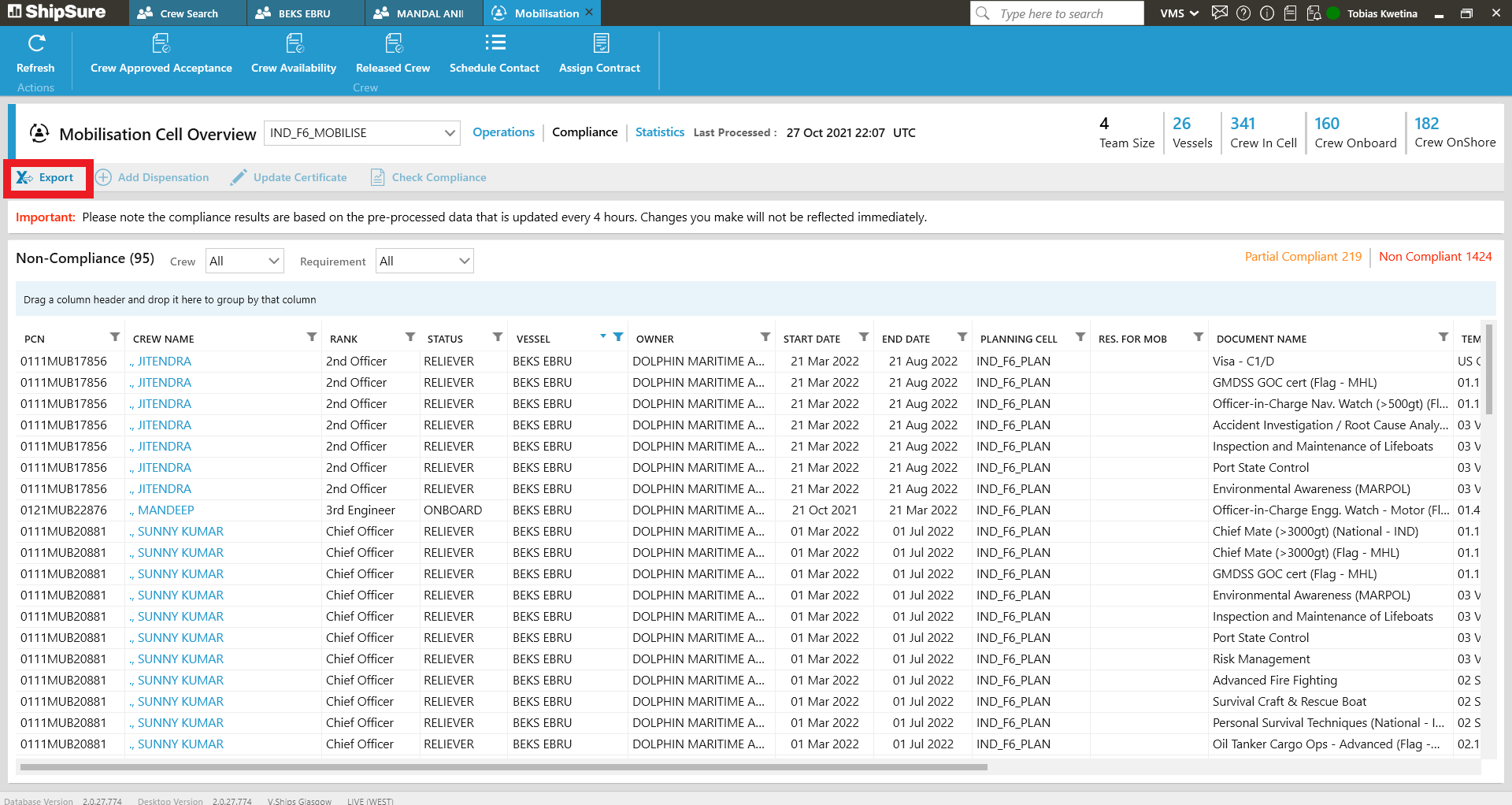
10. Export file in excel to see more details.
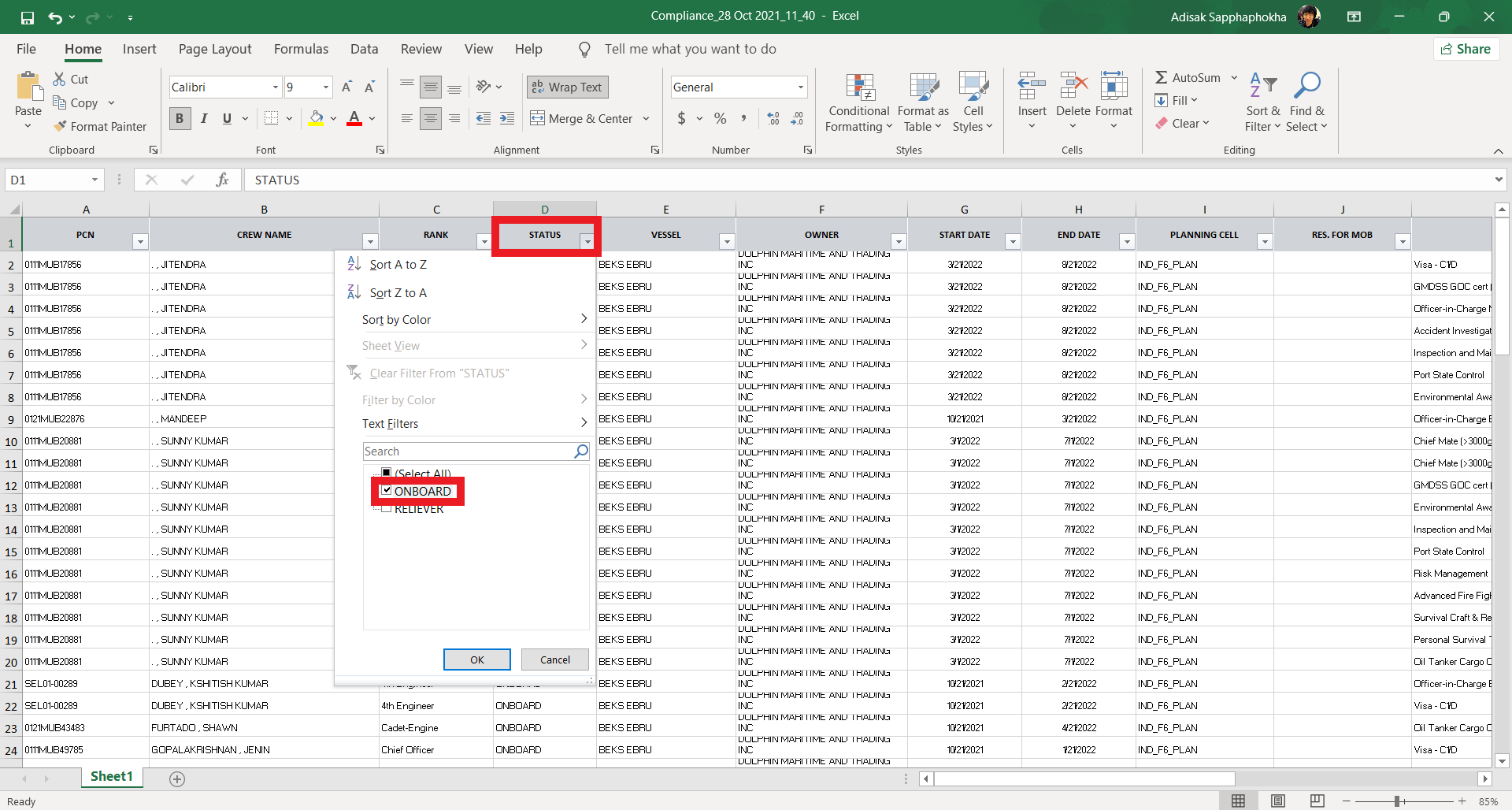
11. Filter Excel file with Status = Onboard to compile all the crew members.
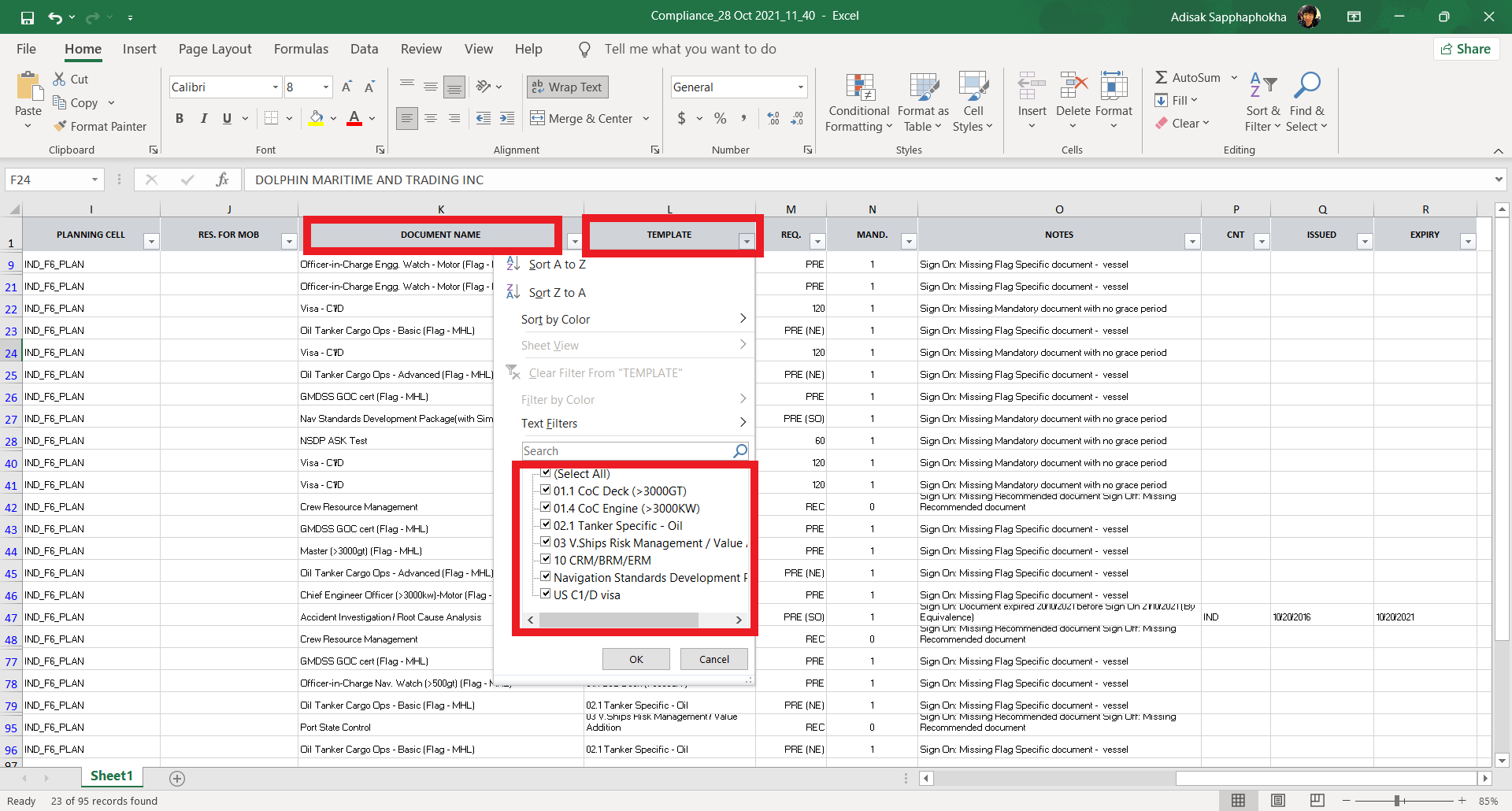
12. Choose on filter of "Template" or "Document name" specific on what we need to follow up.
13. Save as the file with "date/vessel" on NC folder
14. Send email back to "SeaTec Safety Technical" <ops.technical@seatec-services.com>" with excel attachment.
15. Status "Resolved".